
How it works
From the app to the Control Room and back
RunKom pairs a citizen app with a Control Room that verifies, dispatches and responds. Here is what happens after you press Send.
In immediate danger, also call 112.
- Step 1
Request
As a Premium subscriber, choose Medical, Fire, Security, Road Rescue, Environmental or another service, confirm your location and send. It takes under 60 seconds.
- Step 2
Review
A Control Room officer reviews the request and the details you shared.
- Step 3
Dispatch
The Control Room assigns an independent, verified provider near you.
- Step 4
Track
See the provider, vehicle and ETA live. Call the Control Room or report that things are getting worse.
- Step 5
Resolve
The provider marks the case resolved on scene, and you confirm.
- Step 6
Pay
Pay for the service in the app, after it is delivered. It is billed separately from your subscription, and help is never blocked by an unpaid balance.
The status timeline
Every request moves through the same statuses. You see each change in the app as it happens.
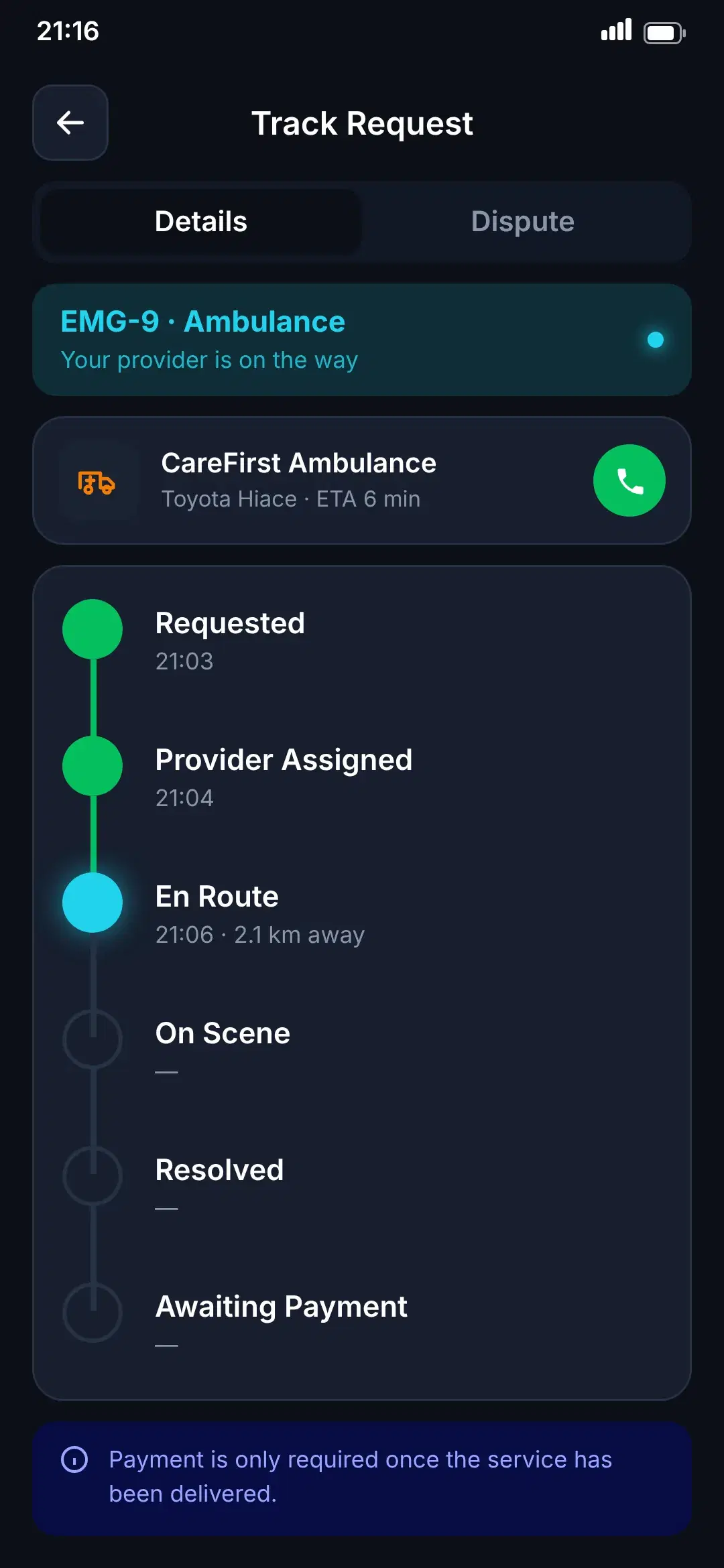
Requested
Your request reaches the Control Room with your location.
Provider Assigned
A provider is matched; you see their name and vehicle.
En Route
Follow the team on the map with a live ETA.
On Scene
The provider has arrived.
Resolved
The emergency is handled.
Awaiting Payment
Pay for the service in the app. Help was never blocked by payment.
Closed
The case is complete.
The Control Room
People and software working the same queue
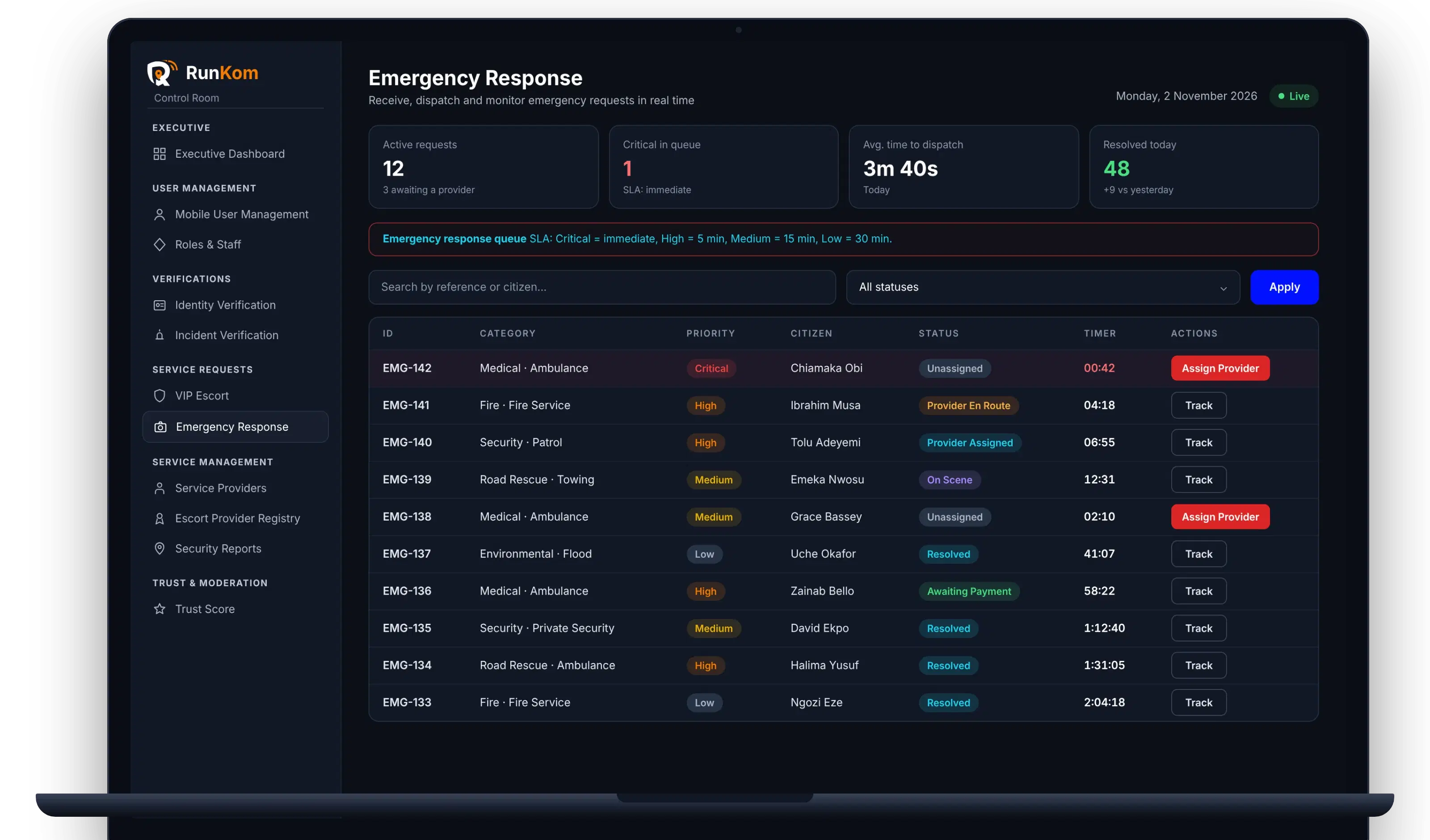
Control Room officers see every request, report and escort in one dashboard. They verify what AI cannot decide, dispatch providers and stay on the line until a case is closed.
Be ready before you need it.
Download RunKom, add your emergency contacts and know that help is a few taps away.
 Coming soon
 Coming soon
RunKom is launching soon on iOS and Android.